
The LineXinBar family: login screen, app store and media apps
 Login screen
Console Experience Desktop Manager is a controller-first login screen for LineXinBar and for ordinary Linux desktop sessions.
It draws LineXinBar's own wallpaper, palette and glass, and is driven by a controller, a keyboard or a pointer without any of them being a mode. It starts any Wayland session on the machine — LineXinBar, Plasma, anything else — and hands LineXinBar a record that lets the wallpaper carry on at the same moment, so logging in looks like one continuous picture rather than two programs taking turns. It speaks the shell's ten languages and follows your accent and particles.
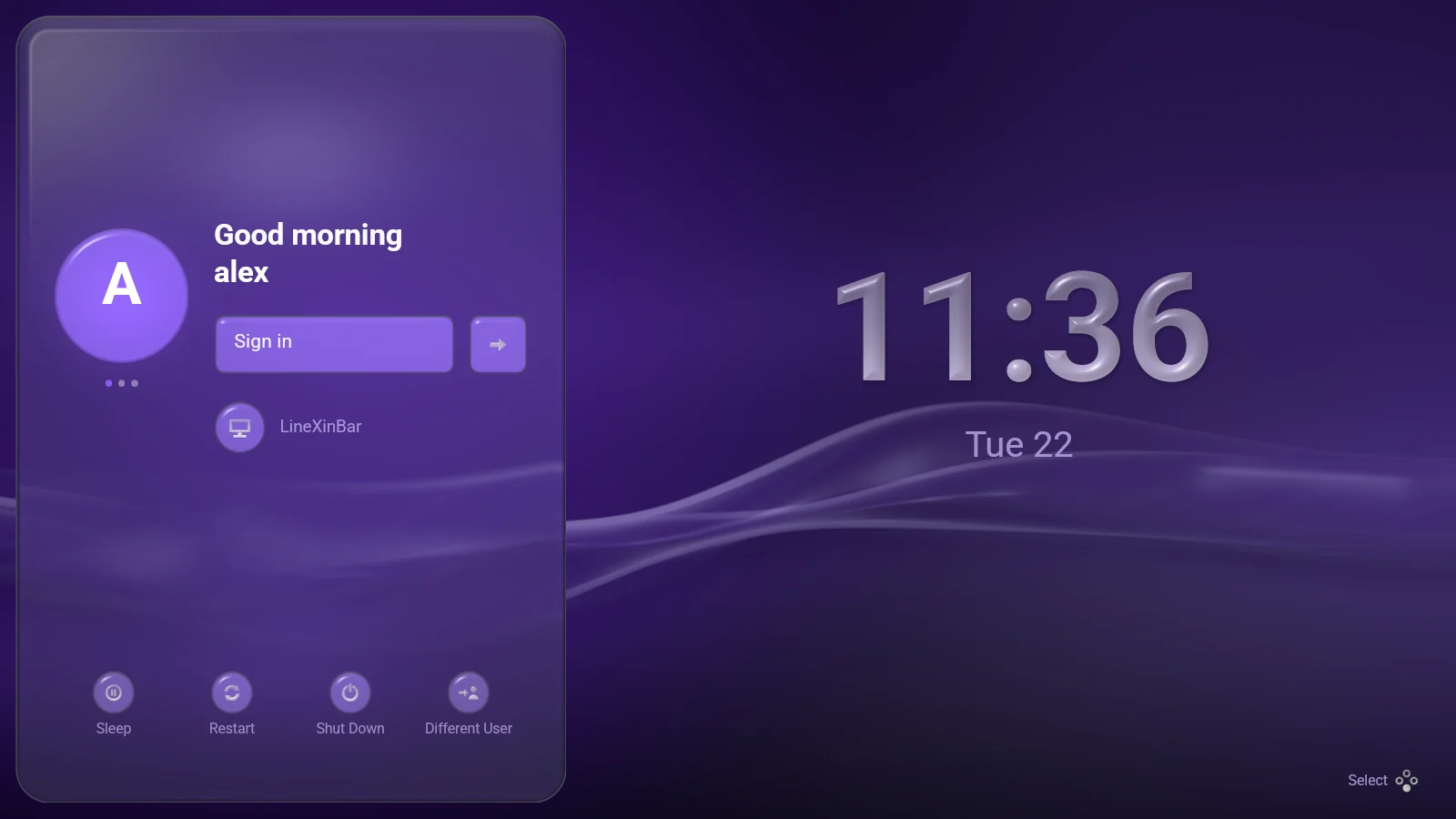
 Not yet ready to be a machine's only display manager — try it from a spare VT, or in its preview mode, which never starts a session.
 Software Hub
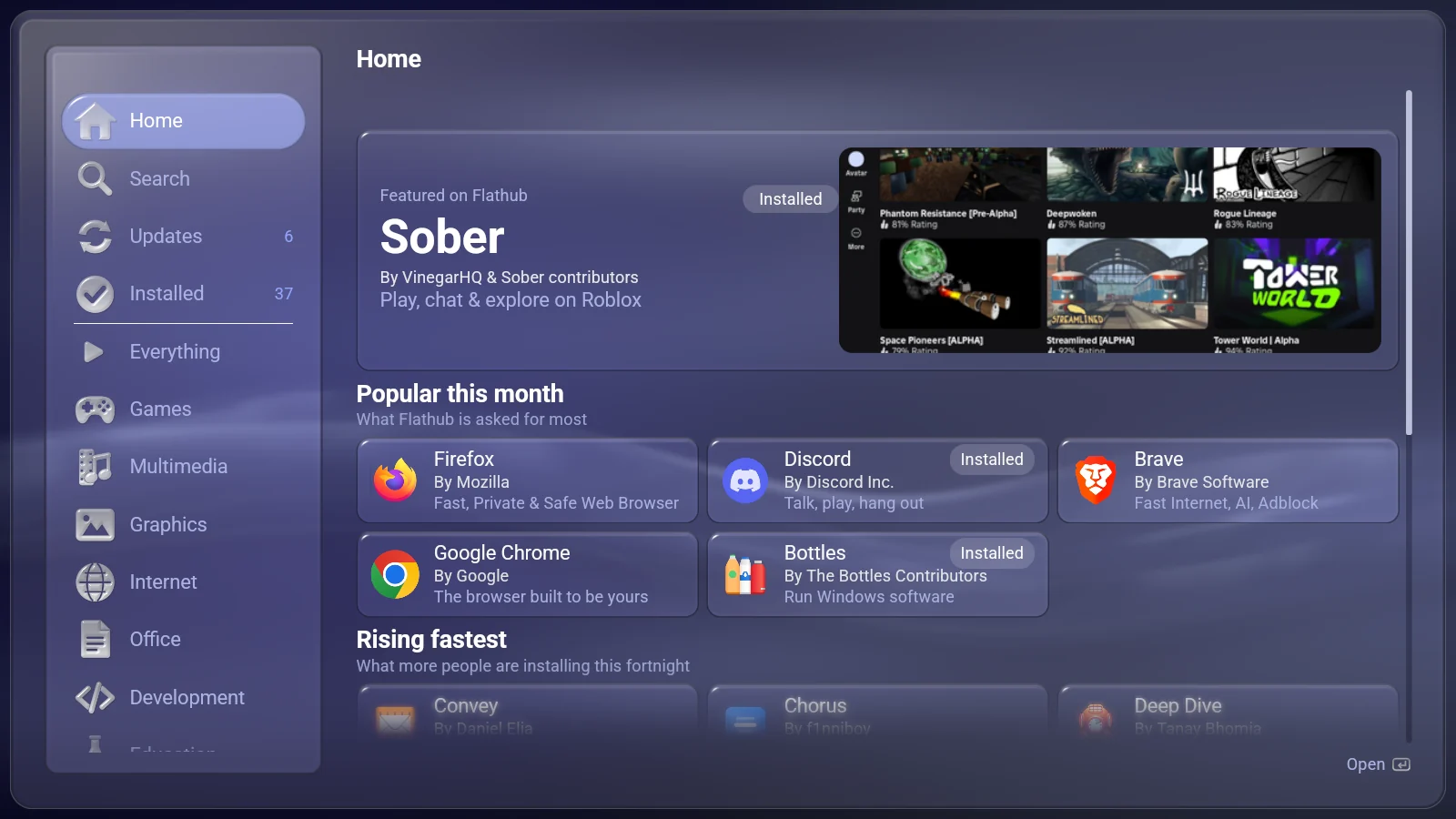
DistriBumpy, shown as Software Hub, is a Flatpak store you drive with a controller.
- Opens on a Home page of what Flathub itself says is worth a look — most asked for, rising fastest, newly published and just rebuilt — and still comes up with no network.
- Shelves that match the shell's own columns, so what you find lands where you will look for it.
- Says what an install would really cost before you press it — the download and the disk, counting every runtime it would pull in.
- Installs, updates and removes with progress you can stop, and clears out runtimes nothing needs any more.
 Music
Music
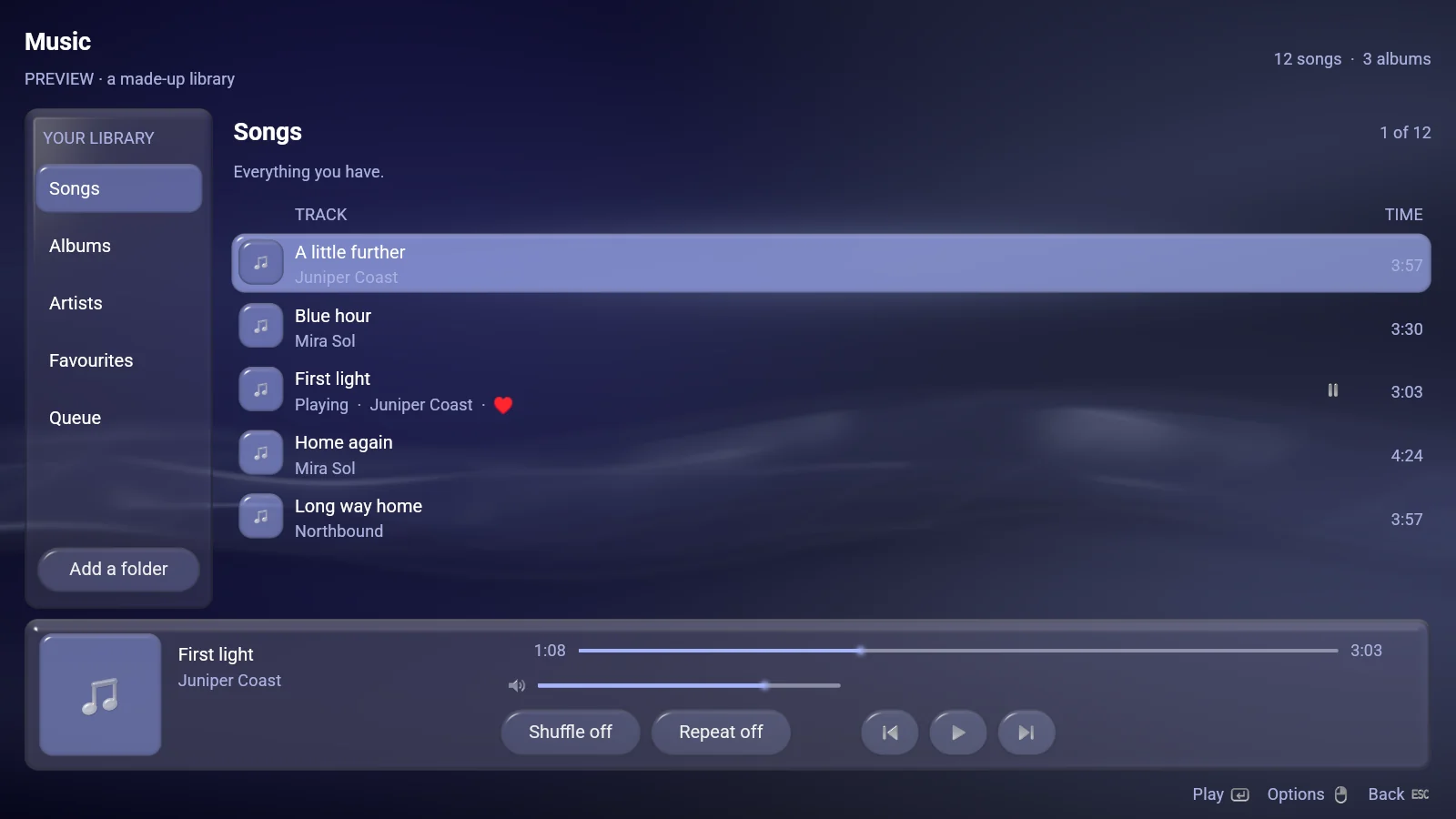
SongOnSole, shown as Music, is the music library and player the bar's Music shelf opens.
The row along the bottom is both what is playing and how to play it, on every page. A song opens out of the row it was pressed on, its sleeve growing into the Now Playing page. Six sort orders, a queue that plays in the order you built it, and it works on a handheld's small screen as well as a television.
 Videos
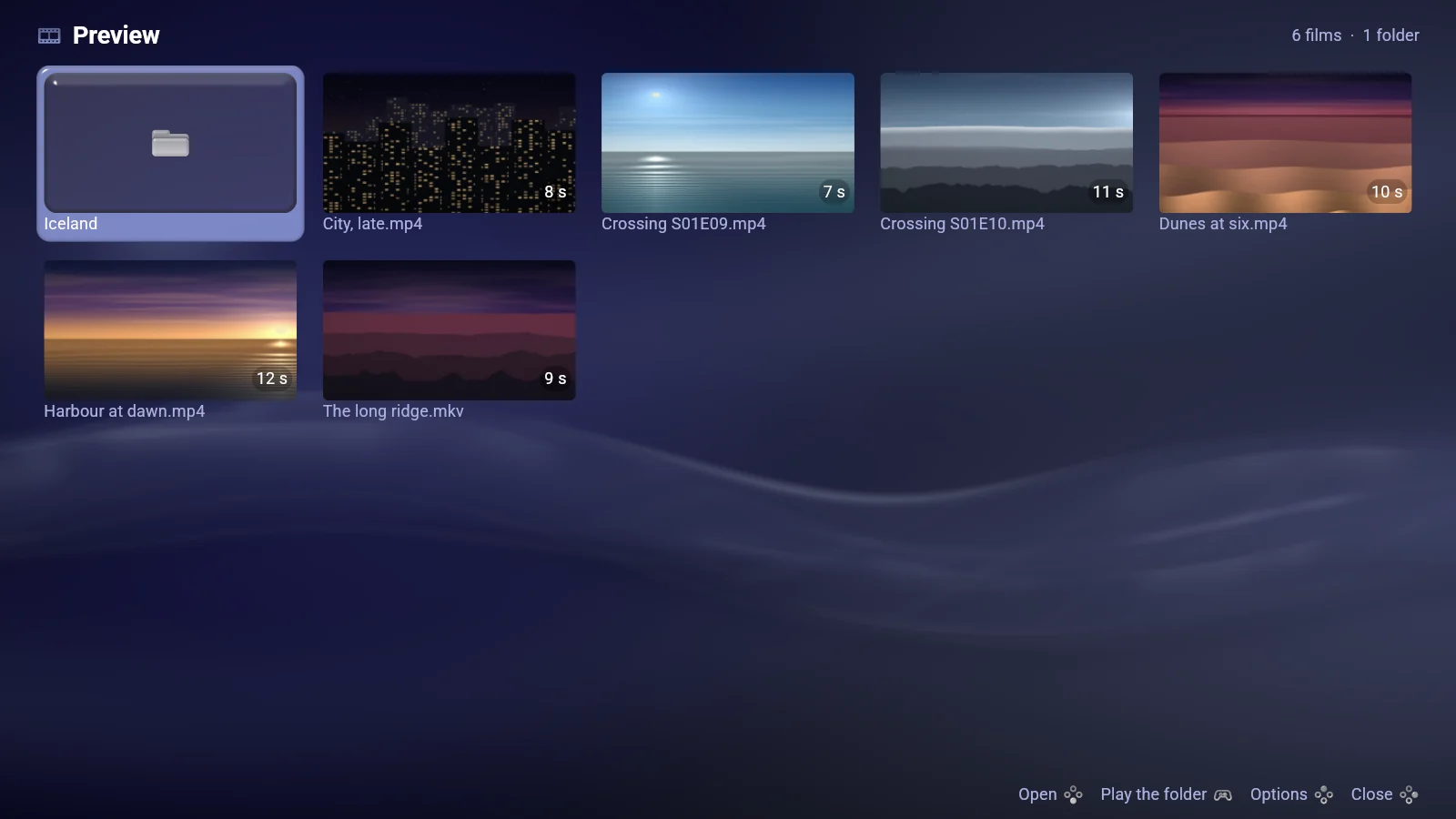
Videonsole, shown as Videos, is a film browser and player made for a controller.
A film opens out of the card it was pressed on and goes back into it. A playing film has the whole screen; press anything and the controls rise, four seconds later they sink again. It remembers where you left off, finds subtitles inside the film or beside it, and decodes on the graphics card where the machine can.
 Pictures
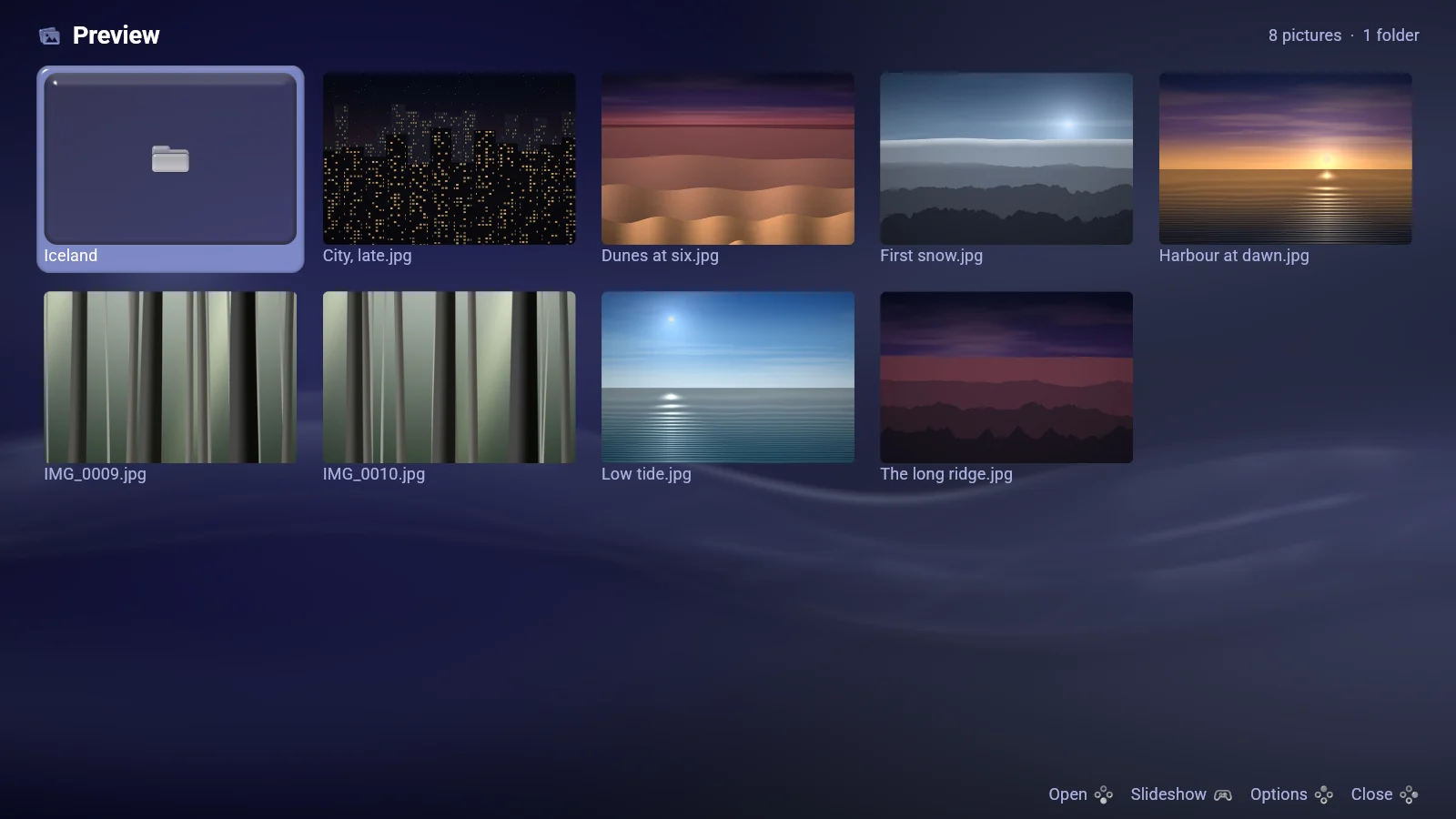
Imagonsole, shown as Pictures, is a photo viewer driven by a controller.
A photograph opens out of its card at its own full resolution, with the pictures either side already read so stepping through a folder never waits. A walks a ladder of zoom stops; a trigger or the wheel zooms smoothly. A direction pans where the picture is bigger than the screen and steps to the next one where it is not.
 lxb-toolkit
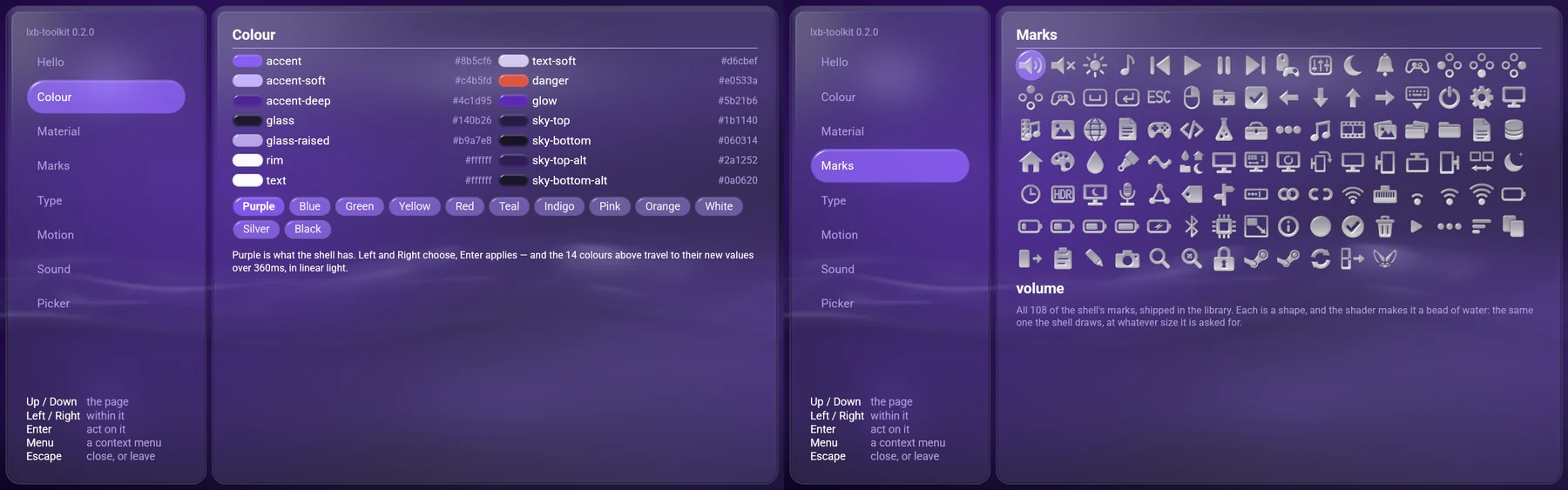
The shell's own interface — its colors, its glass, its motion, its type, its marks and its sounds — packaged as a library, so an application can be built out of the same material and sit beside it.
The four applications above are built on it. lxb-new my-player gives you a buildable Wayland application in Rust, C or Python: one function saying what is on the page, driven by a keyboard, a pointer and every controller on the machine, and not one line naming a color, a radius or a duration. Toolkit applications are ordinary Wayland programs, so they run under GNOME or Plasma as readily as under LineXinBar.
lxb_app::App::new("com.example.hello", "Hello World").run(|page| {
    page.head("launch", "Hello, world");
    if page.button("Hello World!") {
        println!("clicked");
    }
})
 One version
LineXinBar and its six siblings are released together, under one version number — 0.9.3 today — so what you have installed reads off one number instead of seven that drift apart.
Where no distribution repository carries them, Settings › Updates brings all seven up to date from their own releases on GitHub.